Stocky Mobile · companion app for your Stocky server

Stocky, wherever your stock is.

Sales, purchases, point of sale and every module of your self-hosted Stocky server in a fast native app for Android and iOS. Same data, same permissions, same currency. Nothing new to install on the server.

Android & iOSWorks offline with last saved data24 languages, RTL included
9:41
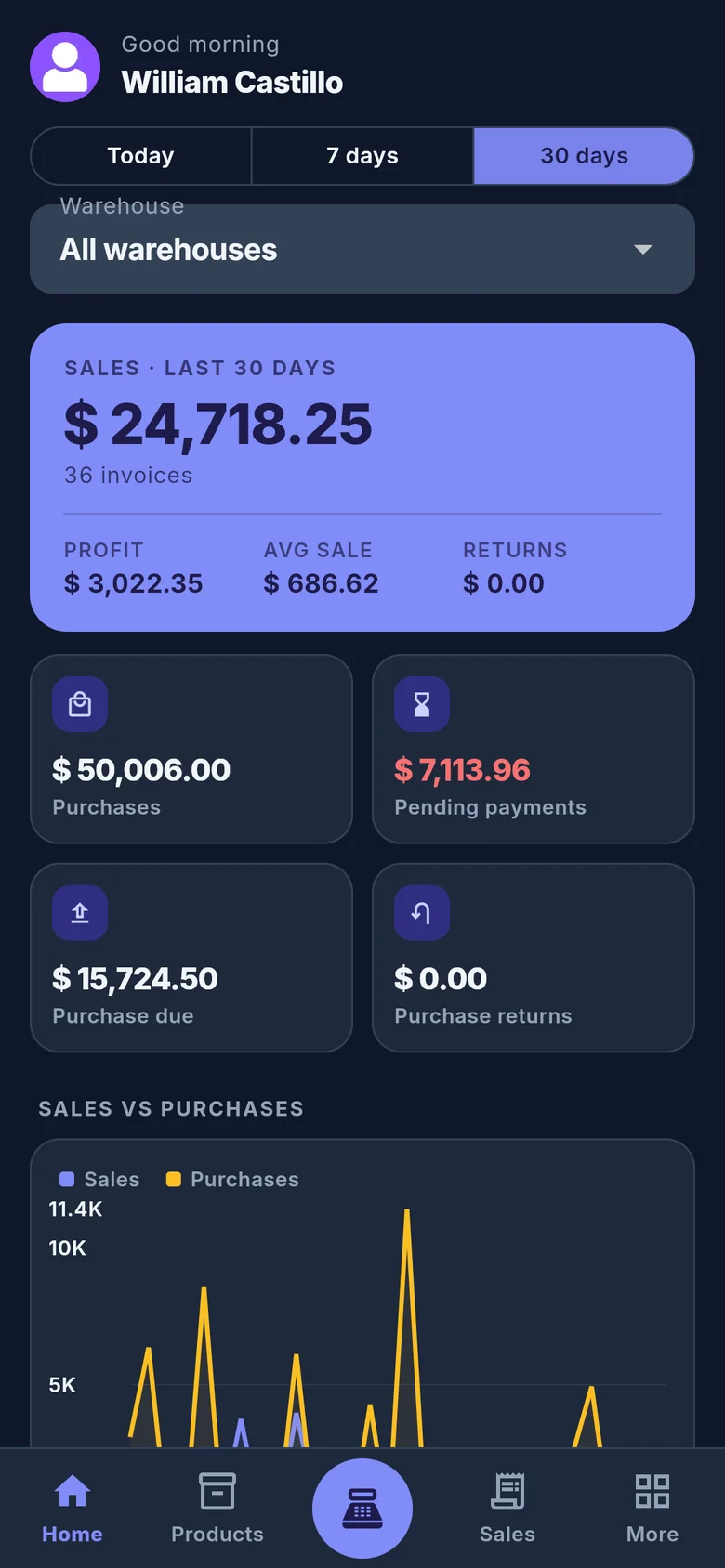
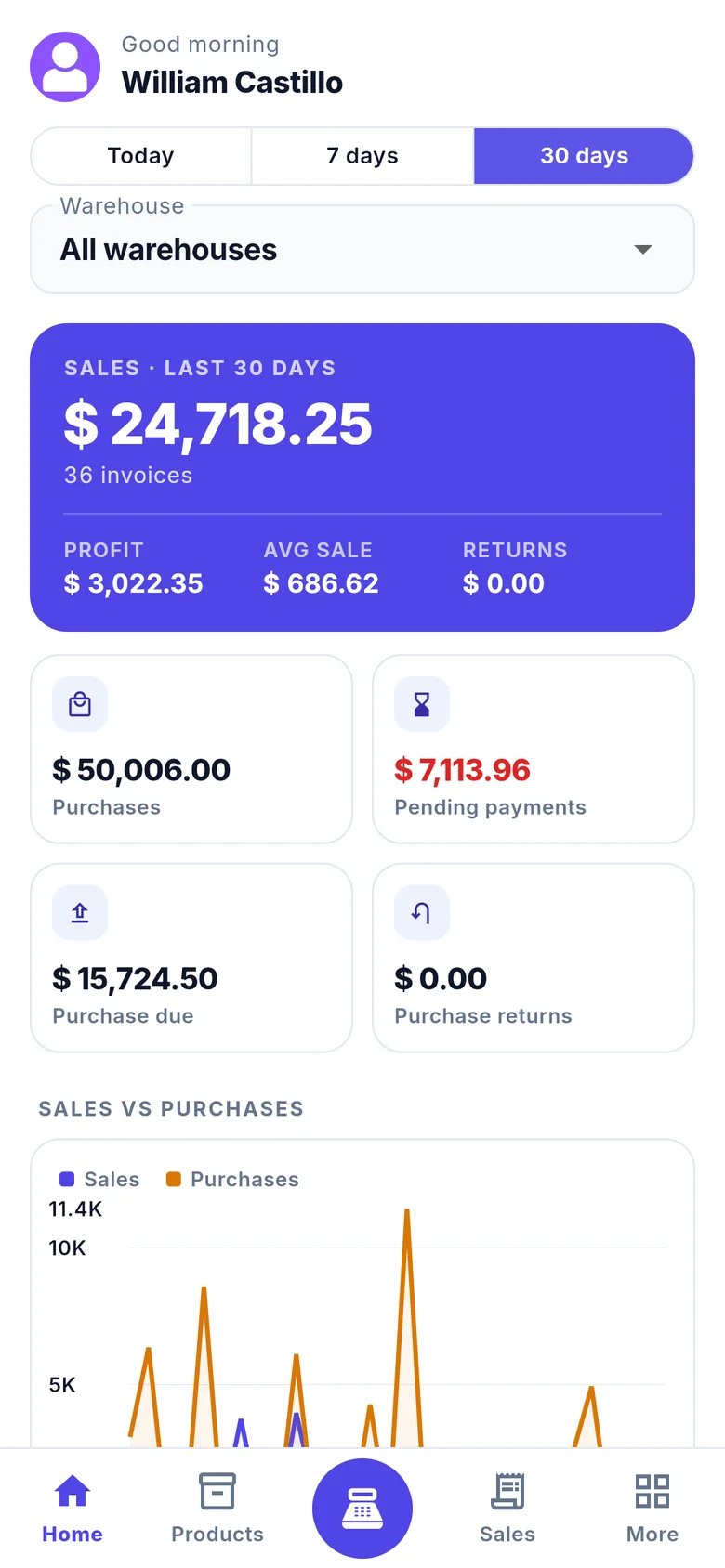
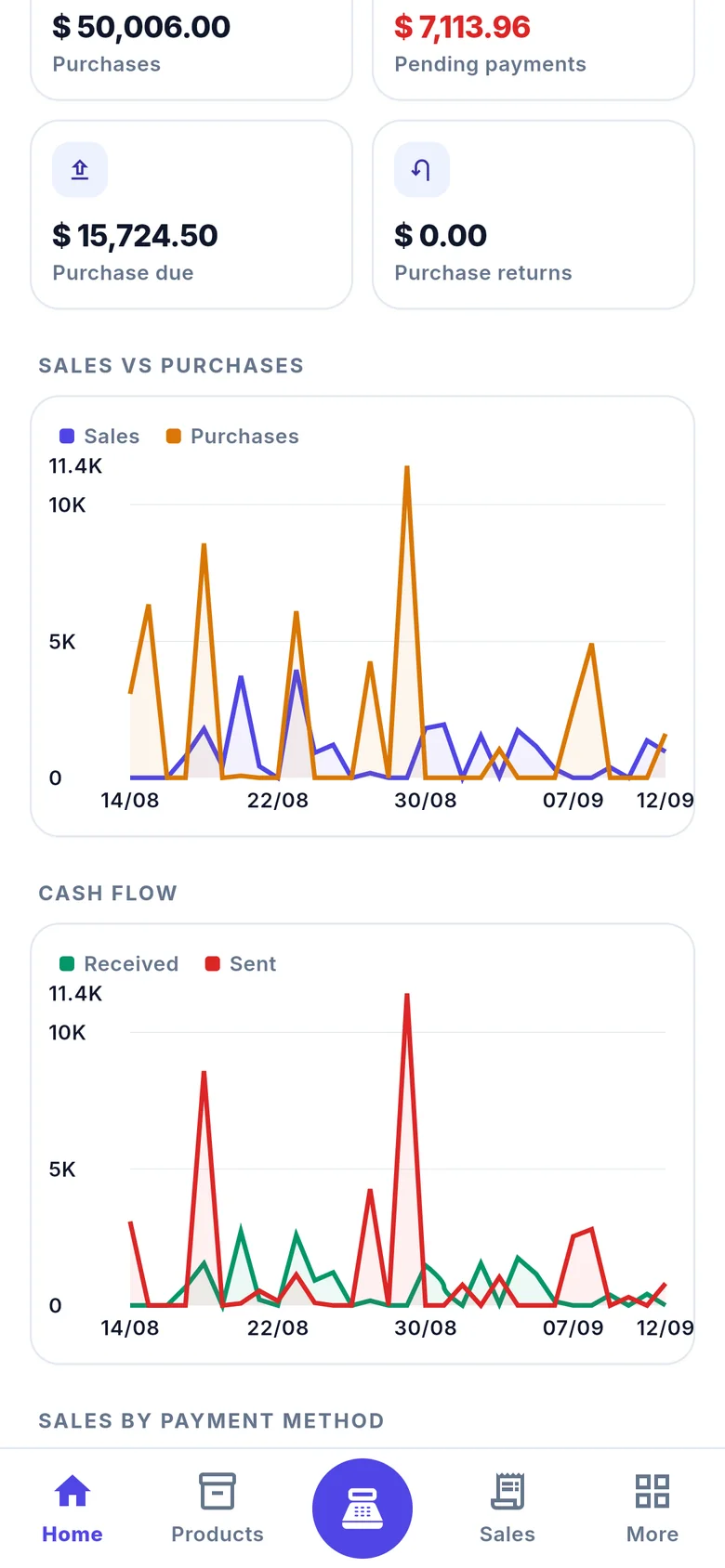
Dashboard: sales of the last 30 days, purchases, pending payments and a sales versus purchases chart
9:41
The same dashboard in dark theme

The real thing

Every screen below is a capture of the app.

Version 1.0.0, signed in to demo.getstocky.com. The figures are demo data, the interface is not a mockup.
9:41
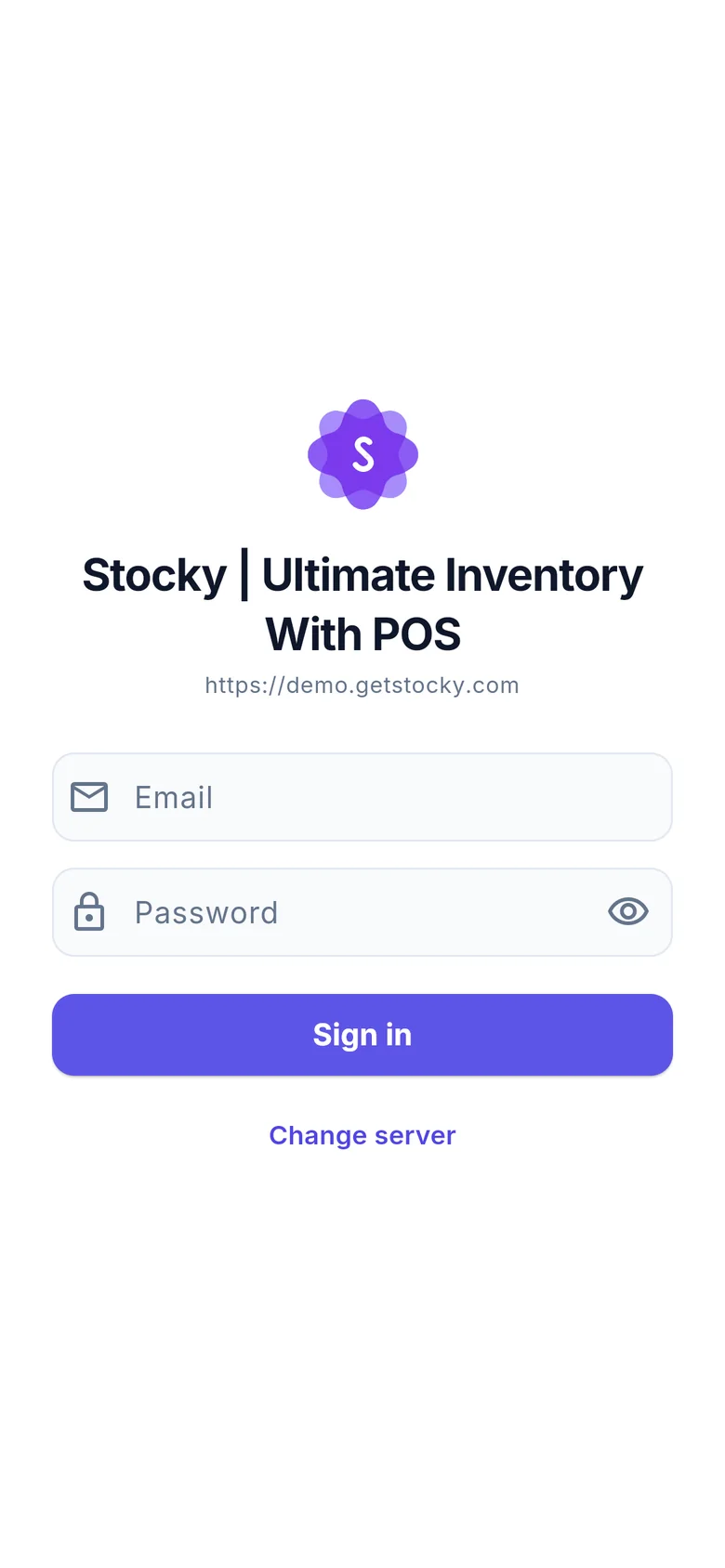
Sign-in screen showing the server's own logo and name
Sign in/login
9:41
Dashboard
Dashboard/home
9:41
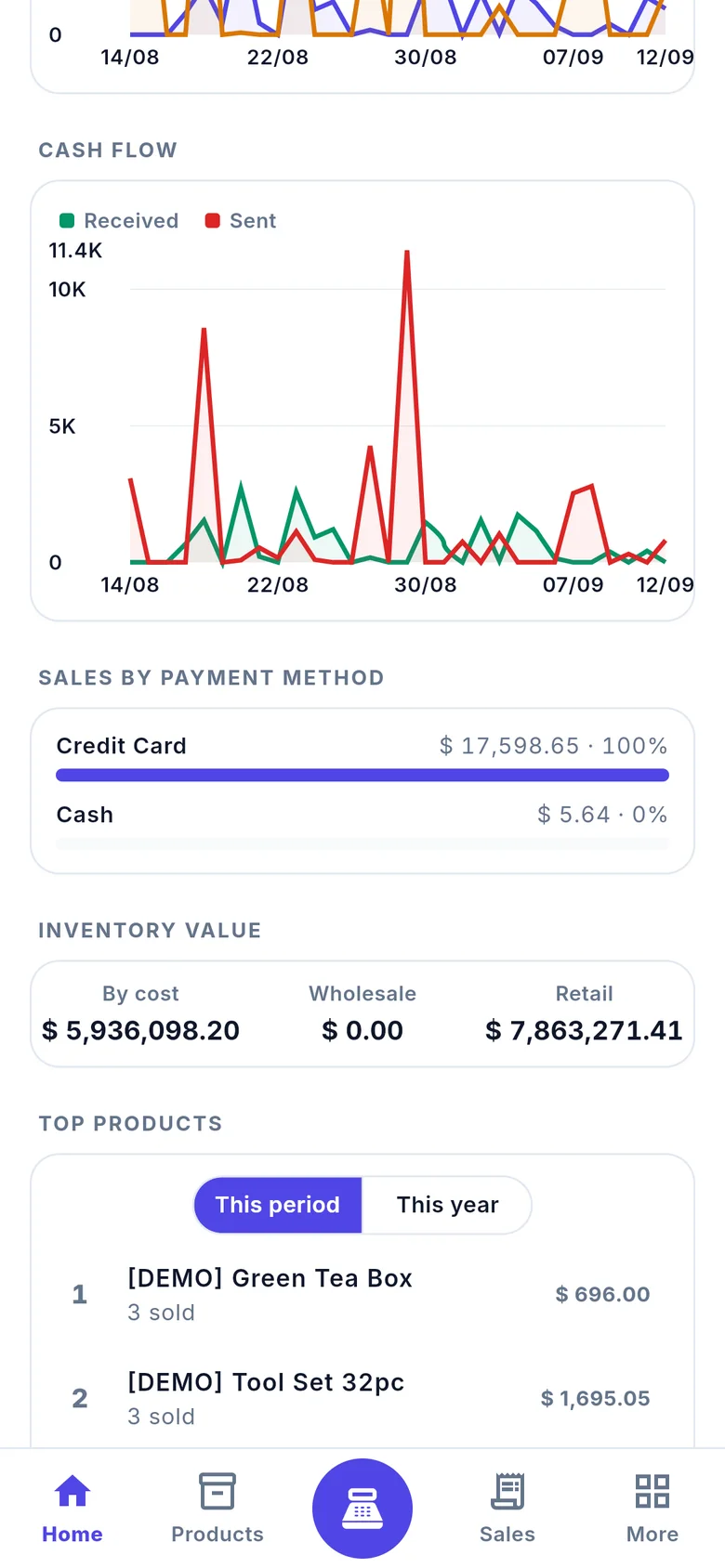
Dashboard charts: sales versus purchases and cash flow
Cash flow/home
9:41
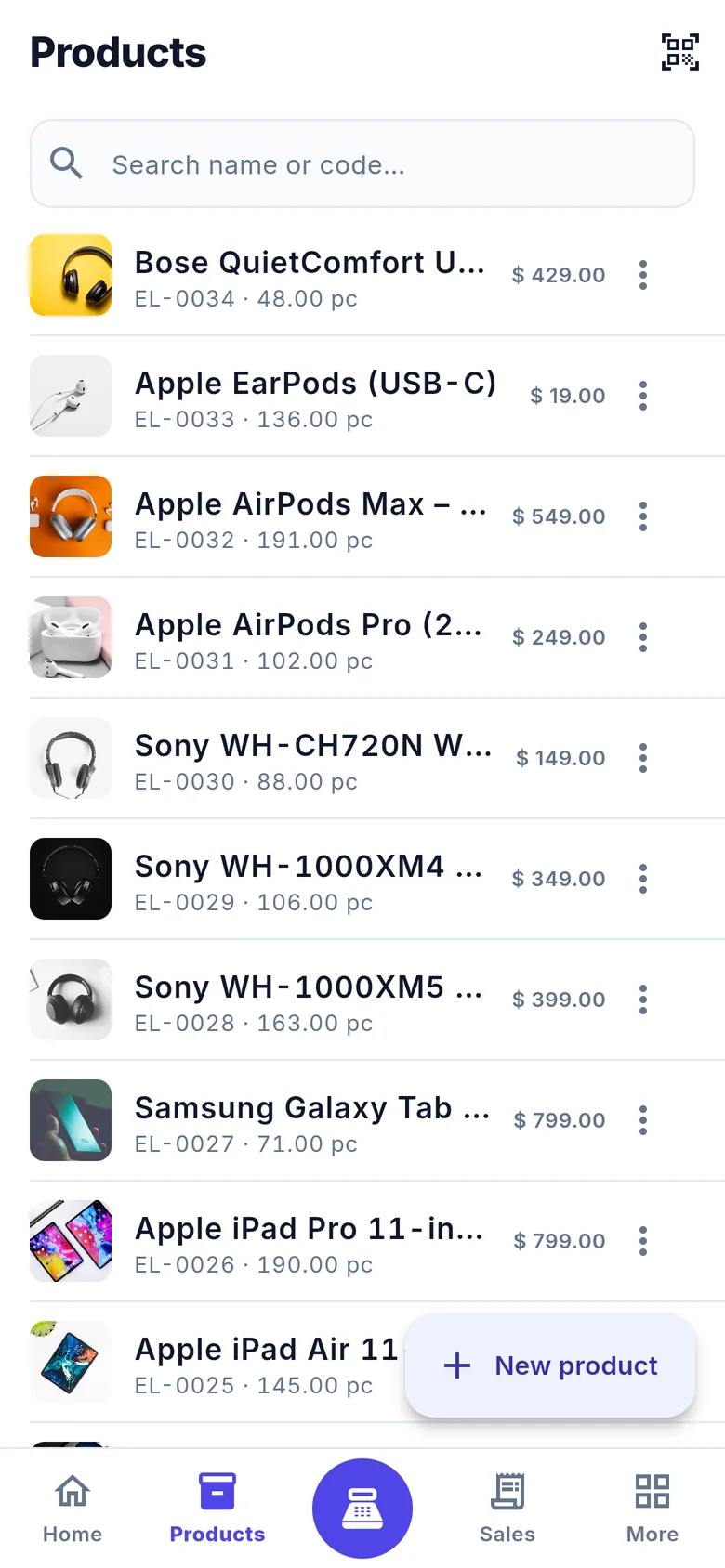
Products list with codes, quantities and prices
Products/products
9:41
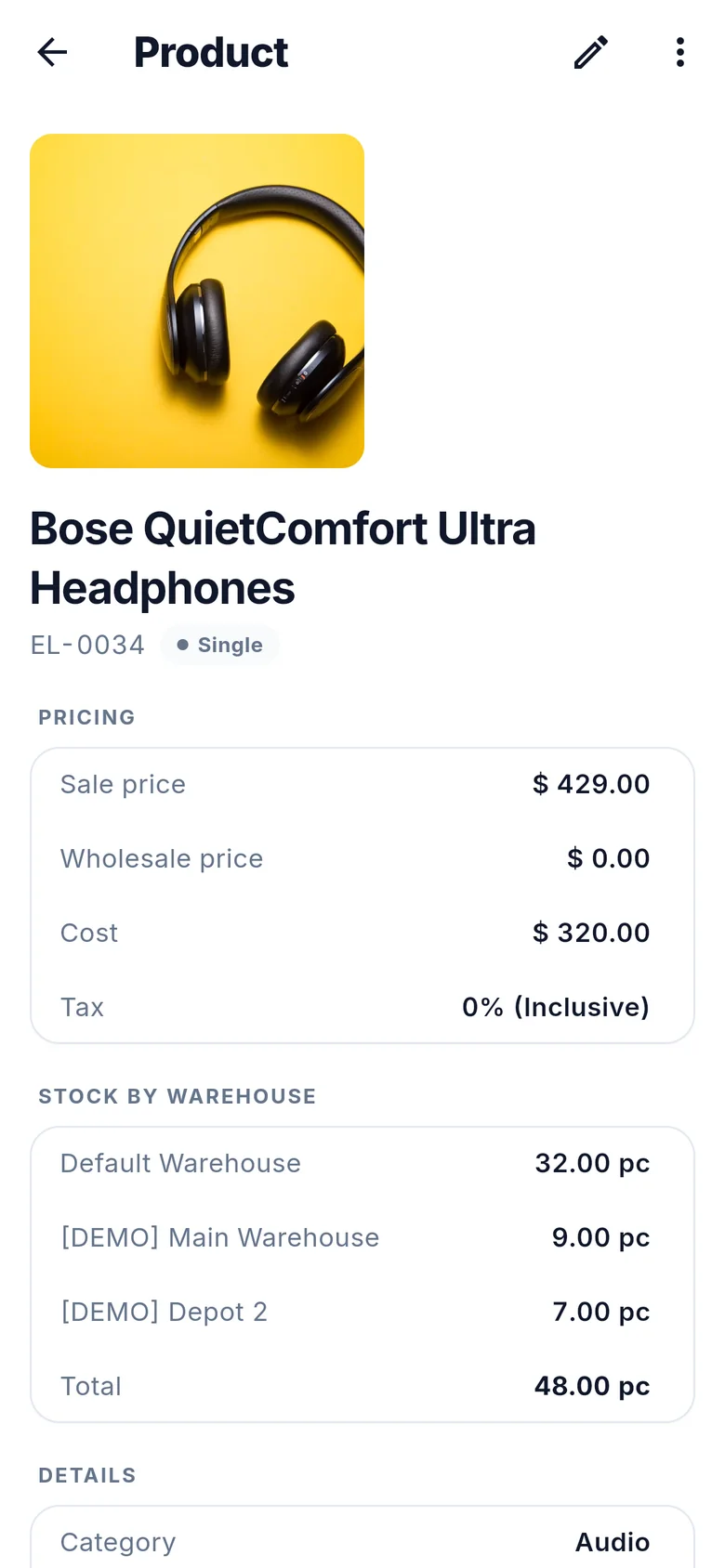
Product detail with pricing, stock by warehouse and details
Product/products/:id
9:41
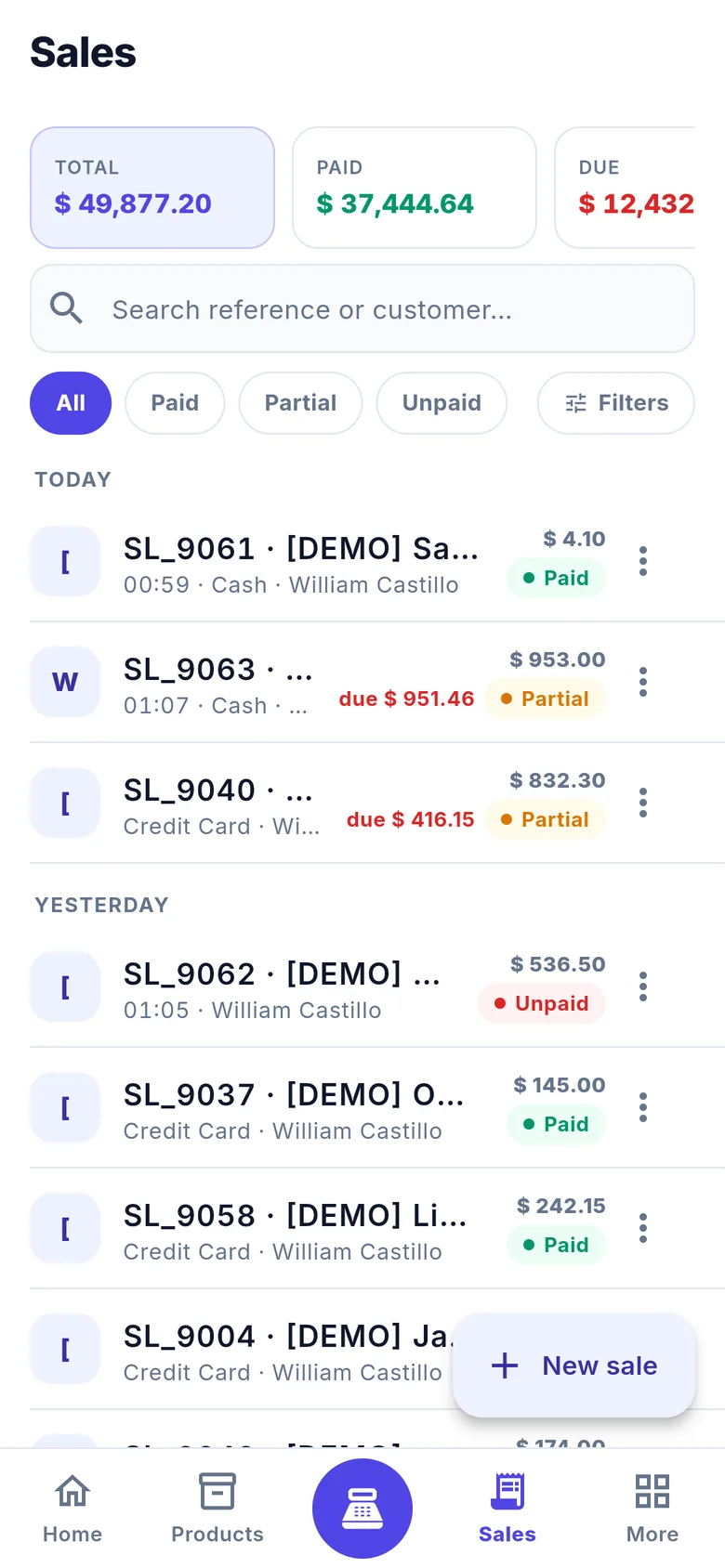
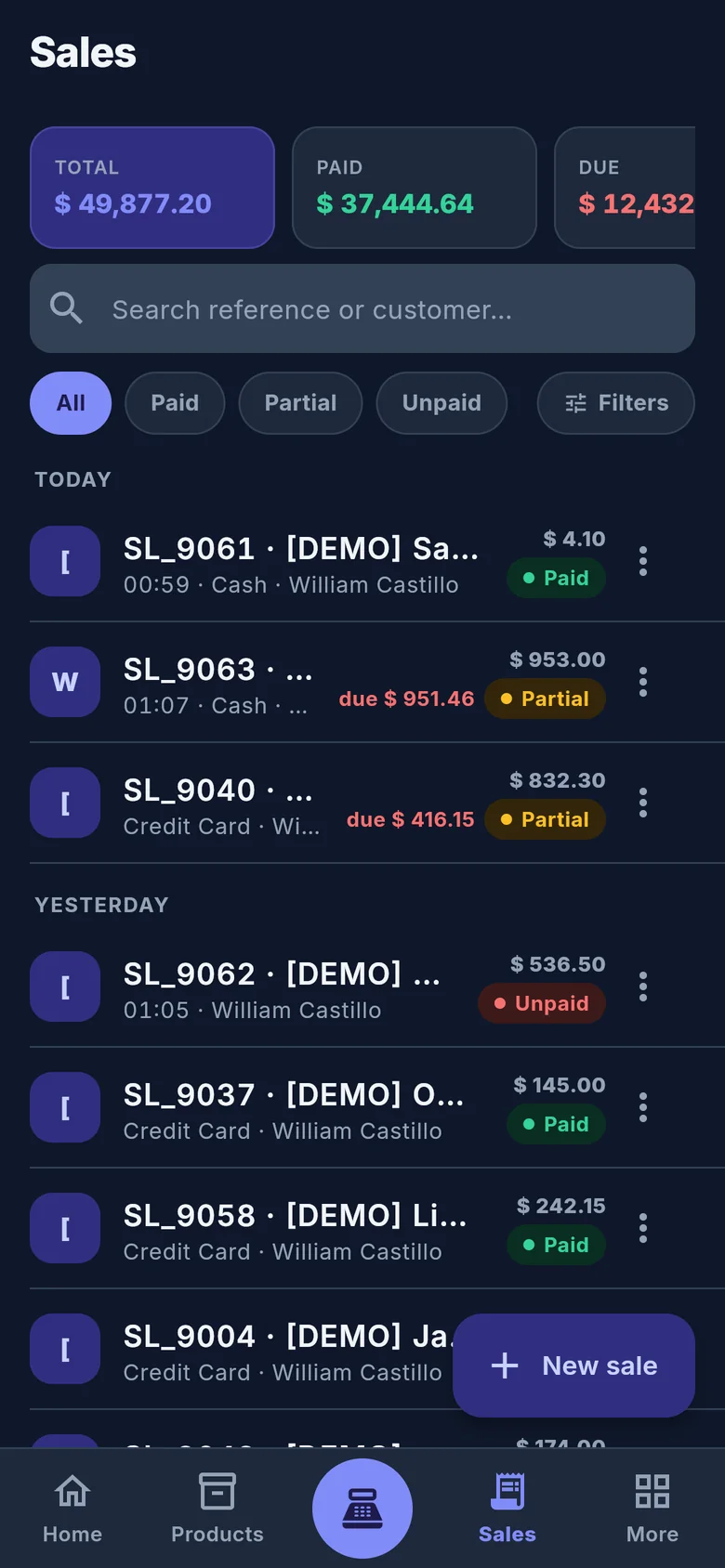
Sales list grouped by day with payment status
Sales/sales
9:41
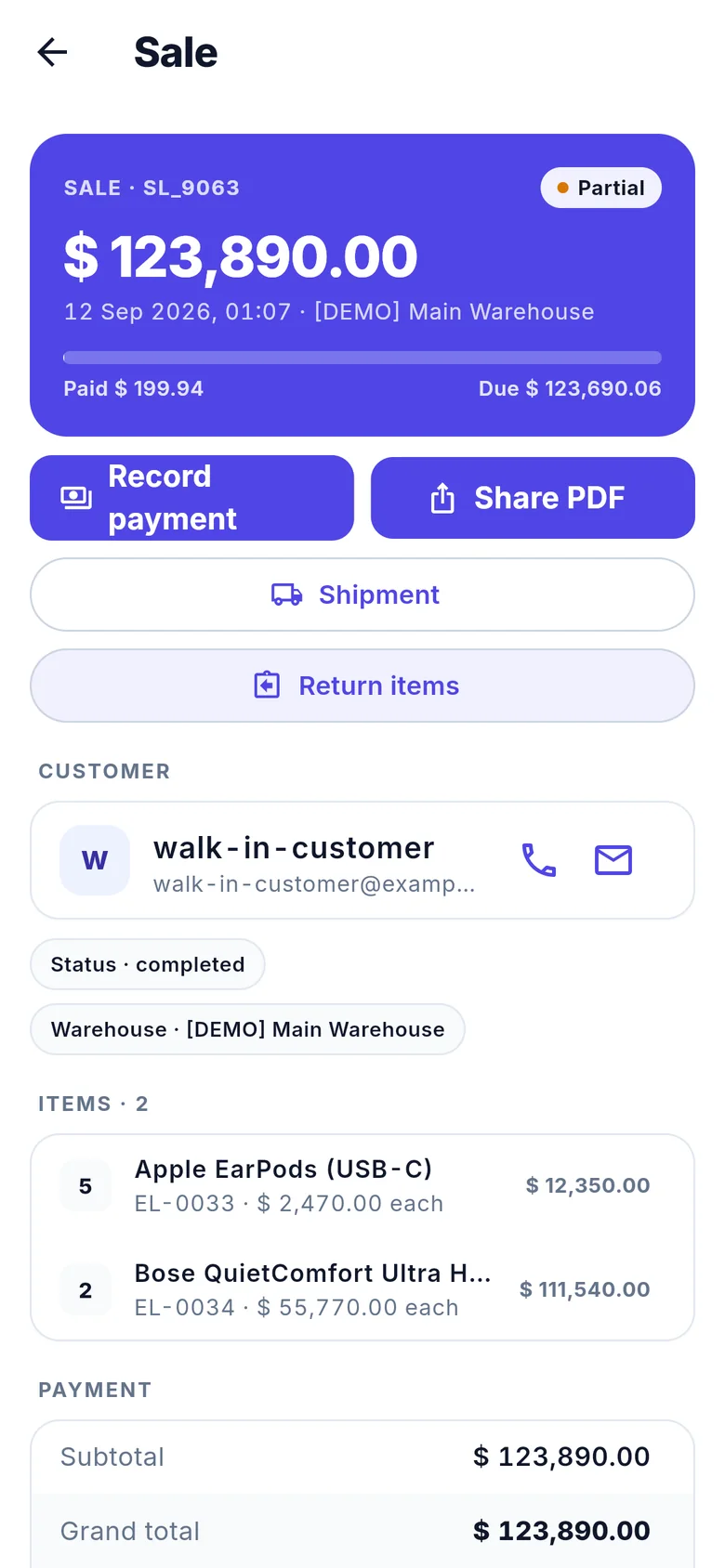
Sale detail with record payment and share PDF actions
Sale/sales/:id
9:41
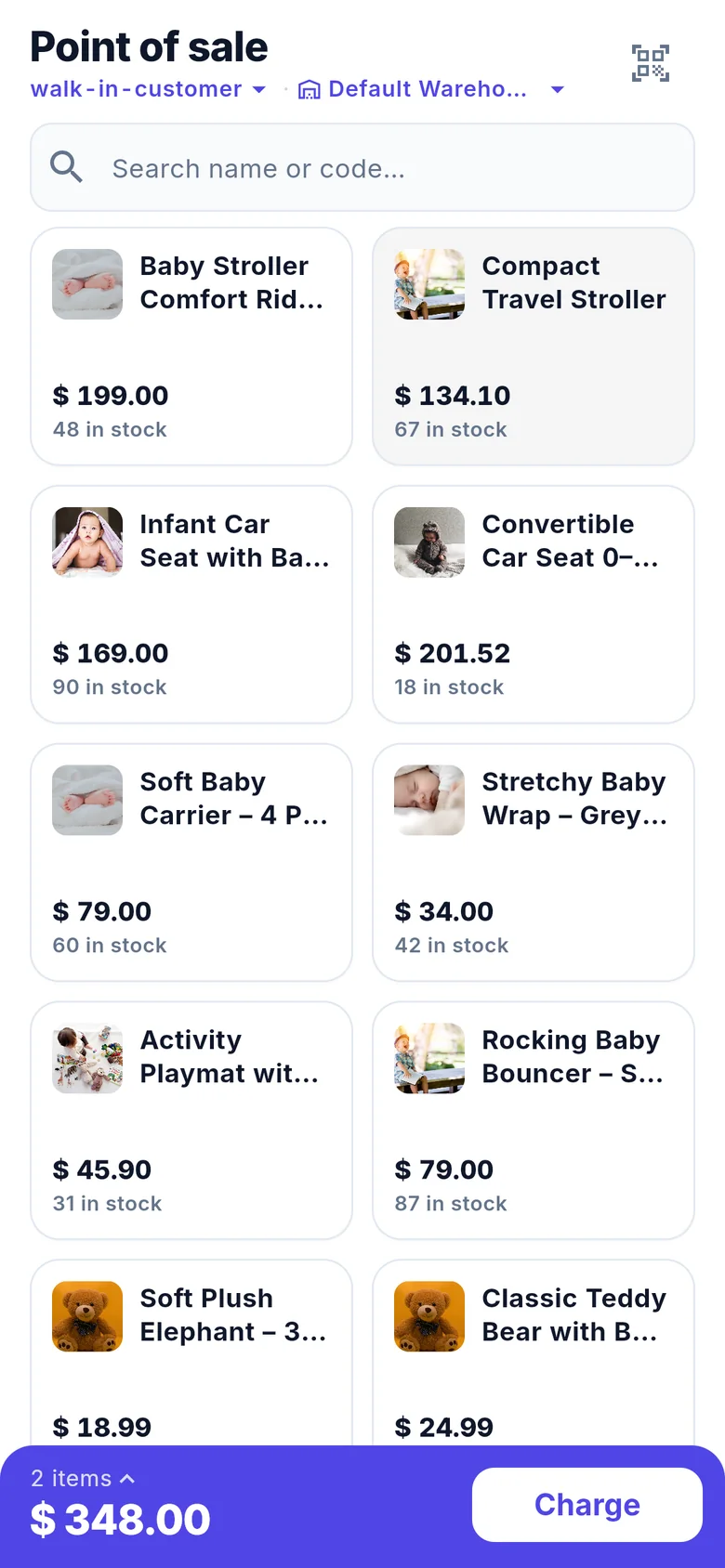
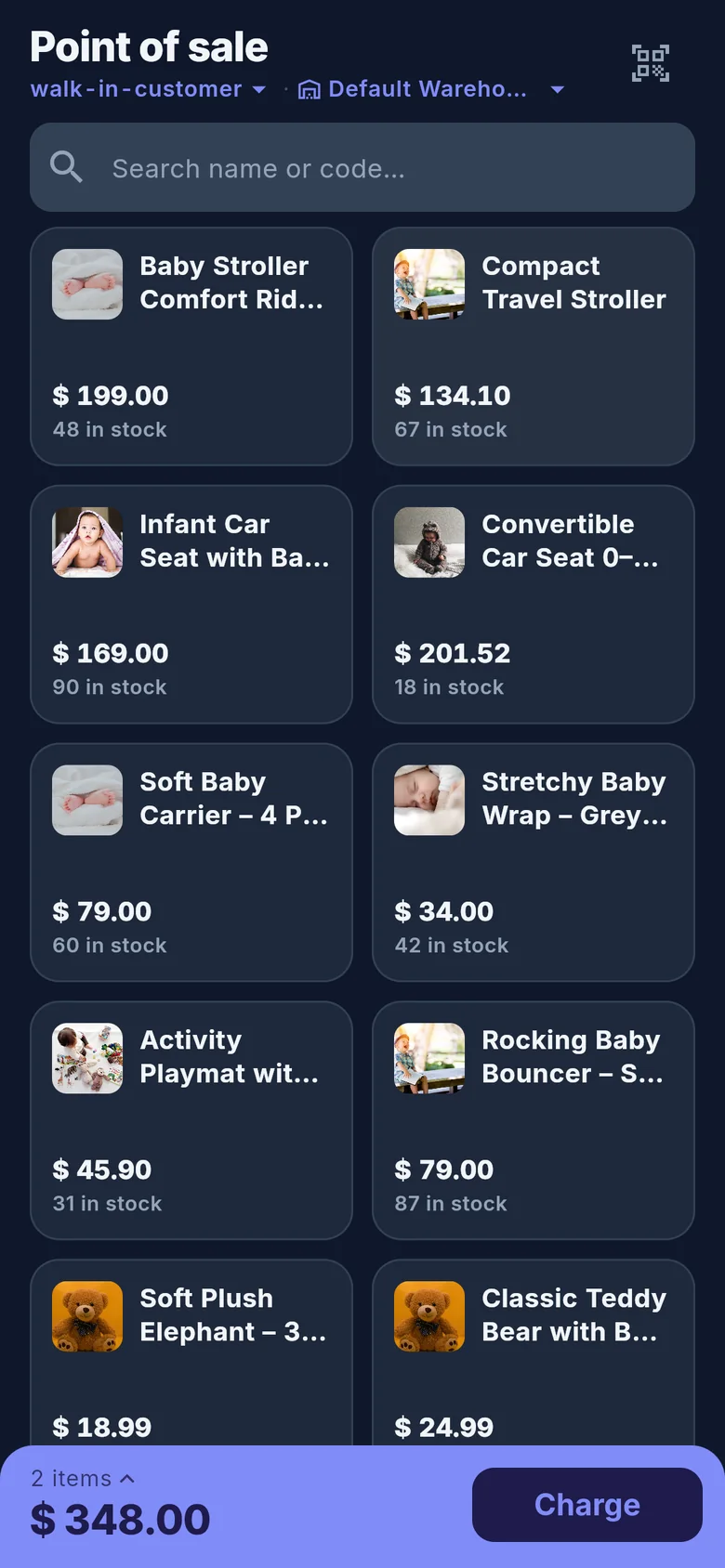
Point of sale grid with product photos and a cart total
Point of sale/pos
9:41
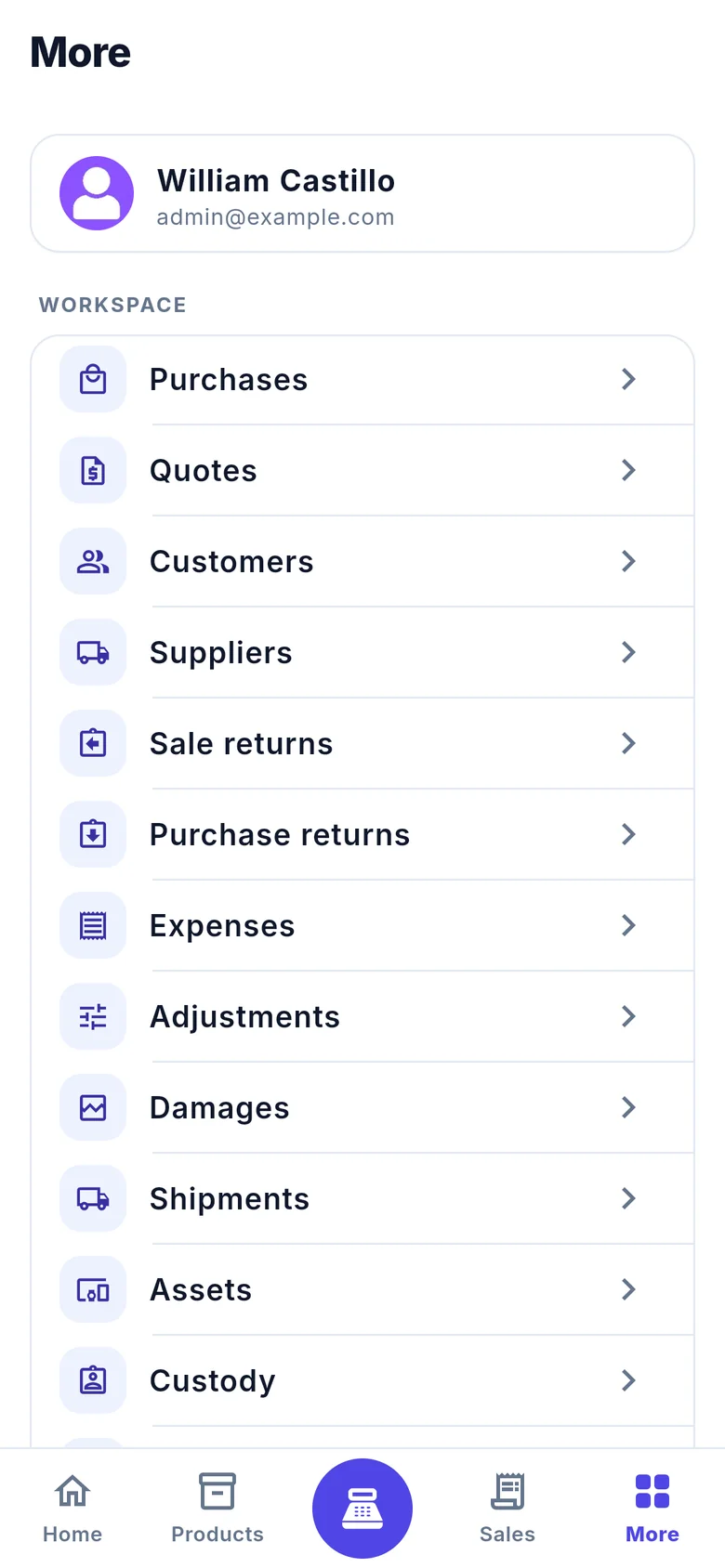
More menu listing workspace modules
Modules/more
9:41
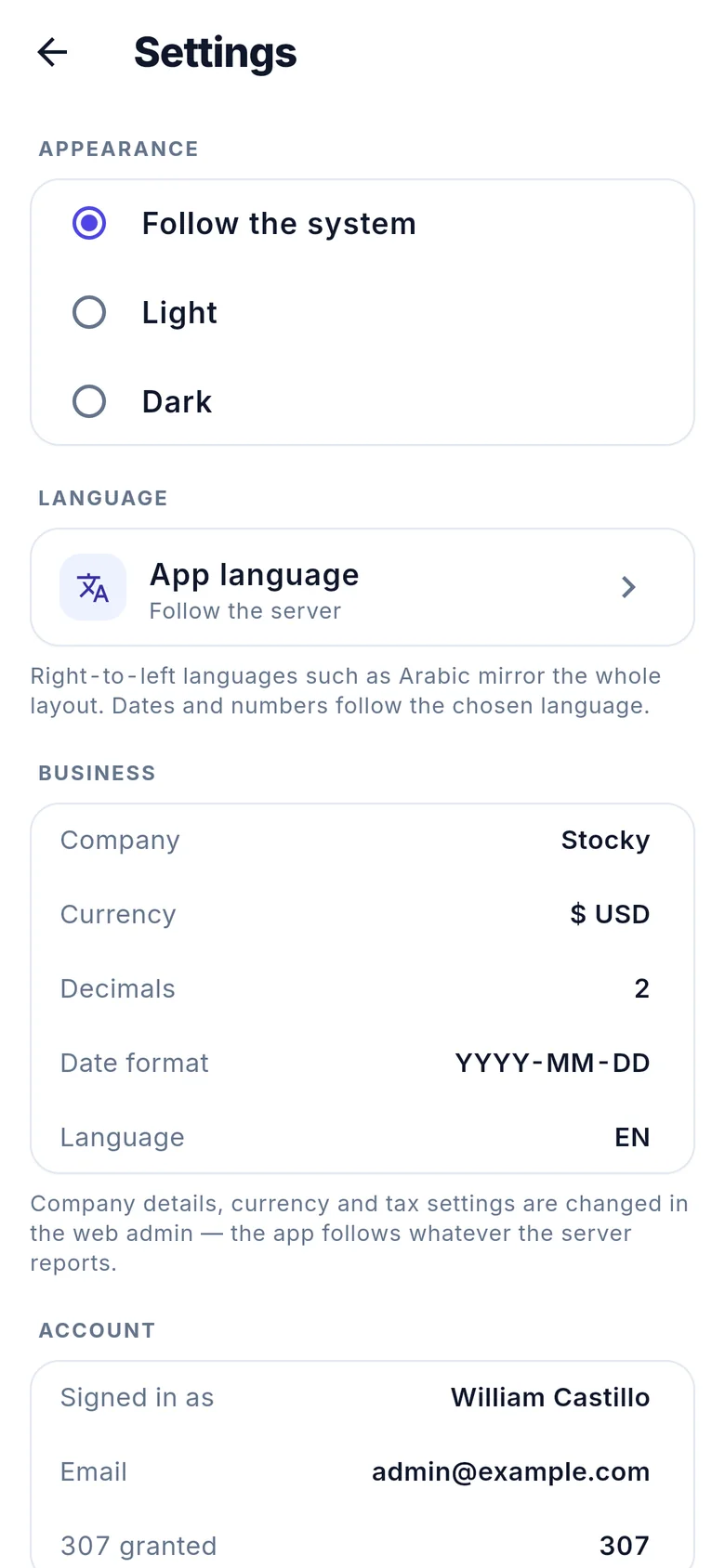
Settings: appearance, language and business details
Settings/settings
9:41
Sales list in dark theme
Sales · dark/sales
9:41
Point of sale in dark theme with two items in the cart
POS · dark/pos

Dashboard

The morning read, before the shutters go up.

One screen answers what sold, what it cost, who still owes you and what is running out. Switch between today, 7 days and 30 days, filter by warehouse, and every number lines up because the app uses tabular figures throughout.
Sales · 30 days$ 24,718.25
Pending payments$ 7,113.96
Inventory · retail$ 7,863,271.41
  • Sales vs purchases and cash flow charts for the chosen period
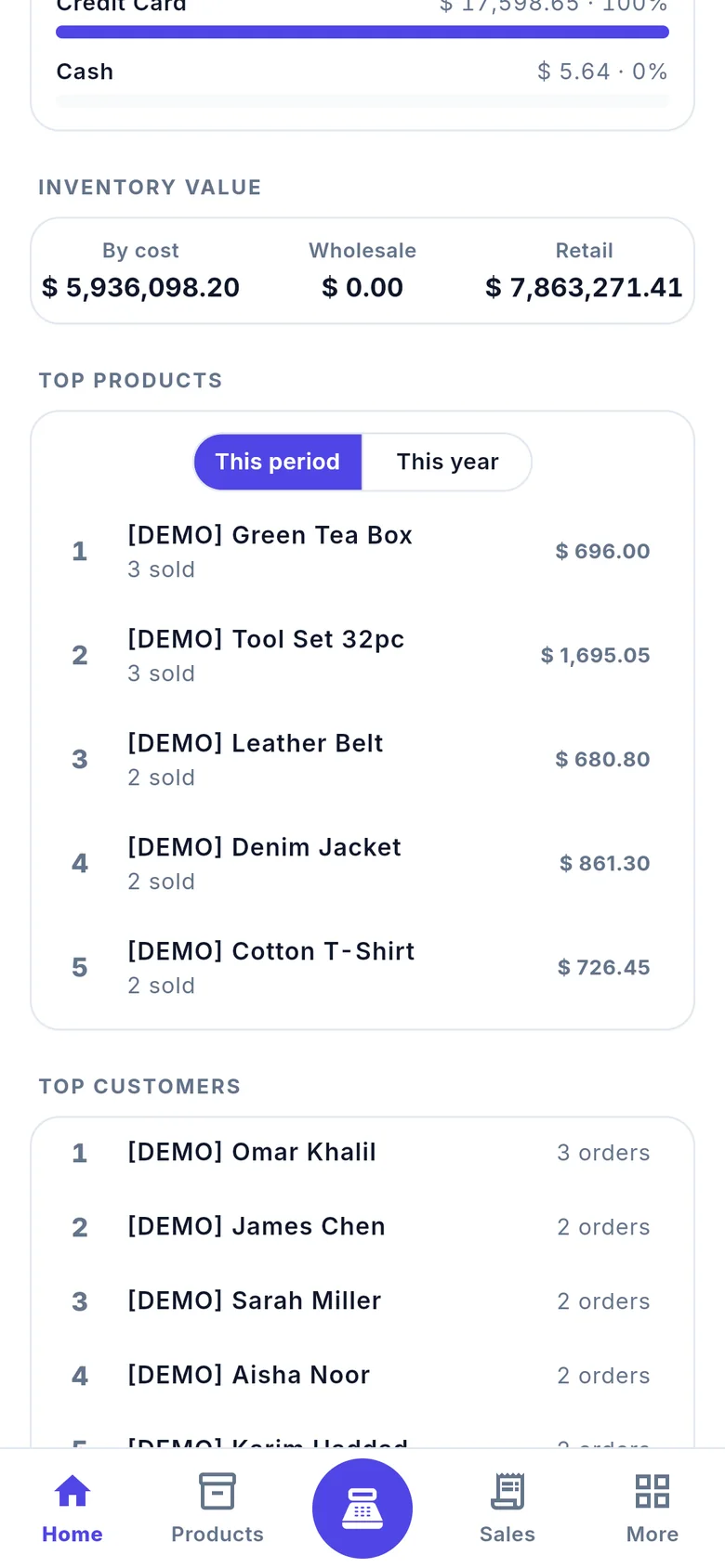
  • Sales by payment method, inventory value by cost, wholesale and retail
  • Top products, top customers and latest sales, plus low stock alerts per variant and warehouse
9:41
Sales versus purchases and cash flow charts
9:41
Sales by payment method and inventory value
9:41
Top products and top customers
9:41
Products list
9:41
Product detail for Bose QuietComfort Ultra Headphones

Products & stock

Find it by name, code or barcode. Then count it.

The product list shows code, quantity and price in one line. Open a product for sale, wholesale and cost prices, tax, stock split by warehouse or by variant, category, brand, unit and the alert level.

  • Scan a barcode from the products screen or the register
  • Create and edit products from the phone, photos included
  • Adjustments, transfers and damages from the same place

Sales & payments

From invoice to paid, without going back to the desk.

Sales are grouped by day and carry their payment state in colour. Open one to record a payment, share the PDF invoice, create a shipment or return items. The customer's phone and e-mail are one tap away.

PartialUnpaid
  • Total, paid and due above the list, with a filter for each state
  • Record payment and Share PDF as the two primary actions of a sale
  • Purchases, quotations and returns follow the same pattern
9:41
Sales list
9:41
Sale SL_9063 detail with a partial payment
9:41
Point of sale in dark theme
9:41
Point of sale with two items in the cart

Point of sale

A register that fits in one hand.

Pick the customer and warehouse at the top, tap products or scan them, and the running total stays pinned at the bottom until you charge. Stock counts sit on every tile so you never sell what you don't have.

  • Search or scan to add items, edit quantities and prices in the cart
  • Walk-in or named customer, any warehouse you have access to
  • Charge records the sale and its payment on the server immediately

Modules

Every module of Stocky, not a mobile subset.

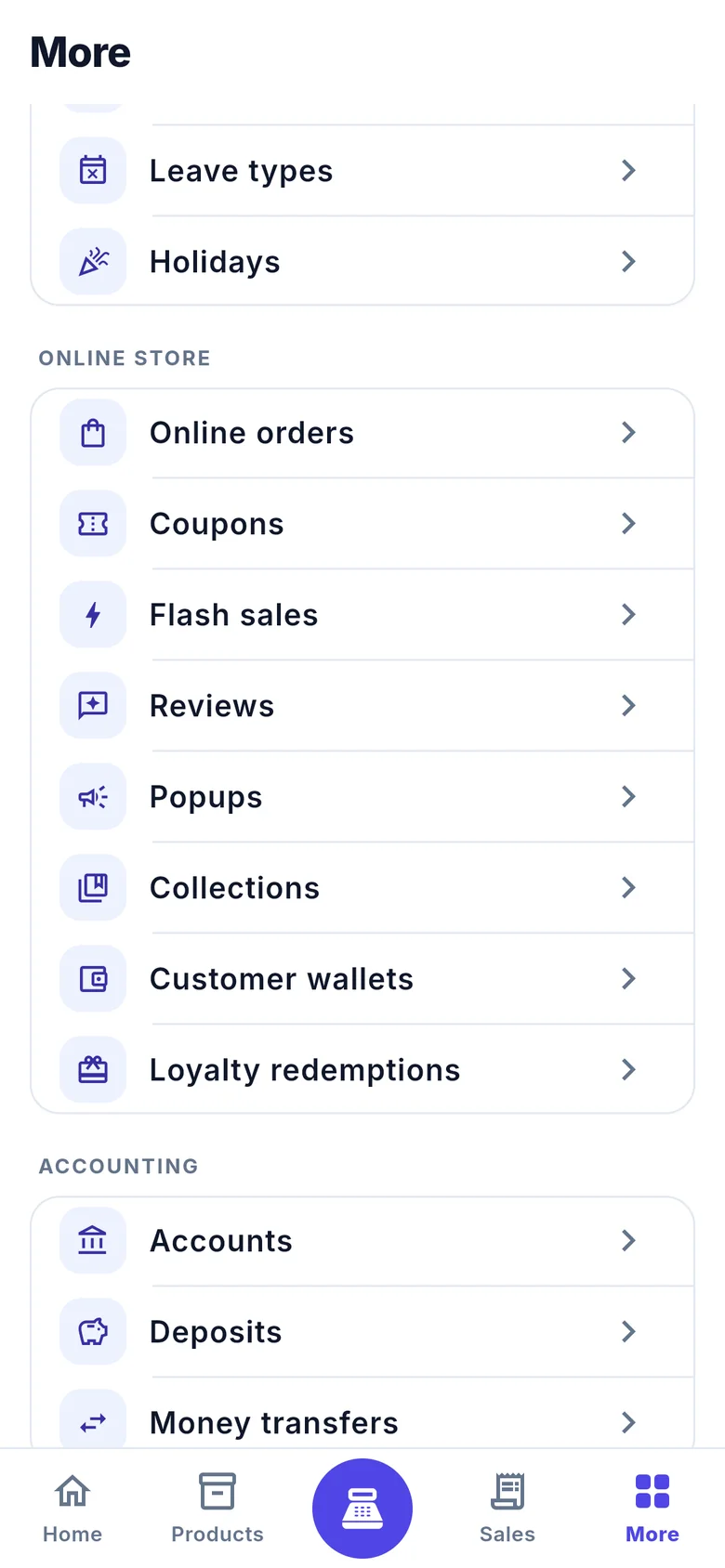
The More tab lists what your account is allowed to see. Grant a permission in the web admin and the entry appears on the phone. Sixty-plus modules and more than forty reports ship in version 1.0.0.
Workspace

PurchasesQuotesCustomersSuppliersSale returnsPurchase returnsExpensesAdjustmentsDamagesTransfersShipmentsAlertsUsersReports

Operations

AssetsCustodyMaintenanceVehiclesTripsFuelContractsSubscriptionsCommissionsSales agentsCampaignsCustomer segmentsTasksProjectsService jobsTechnicians

HRM

EmployeesAttendanceLeave requestsCompaniesDepartmentsDesignationsOffice shiftsHolidays

Online store

Online ordersCouponsFlash salesReviewsPopupsCollectionsCustomer walletsLoyalty redemptions

Accounting & catalog

AccountsDepositsMoney transfersCategoriesBrandsSerial numbersSize guidesUnitsWarehousesCurrenciesPayment methods
9:41
More menu: online store and accounting modules
9:41
More menu: workspace modules
9:41
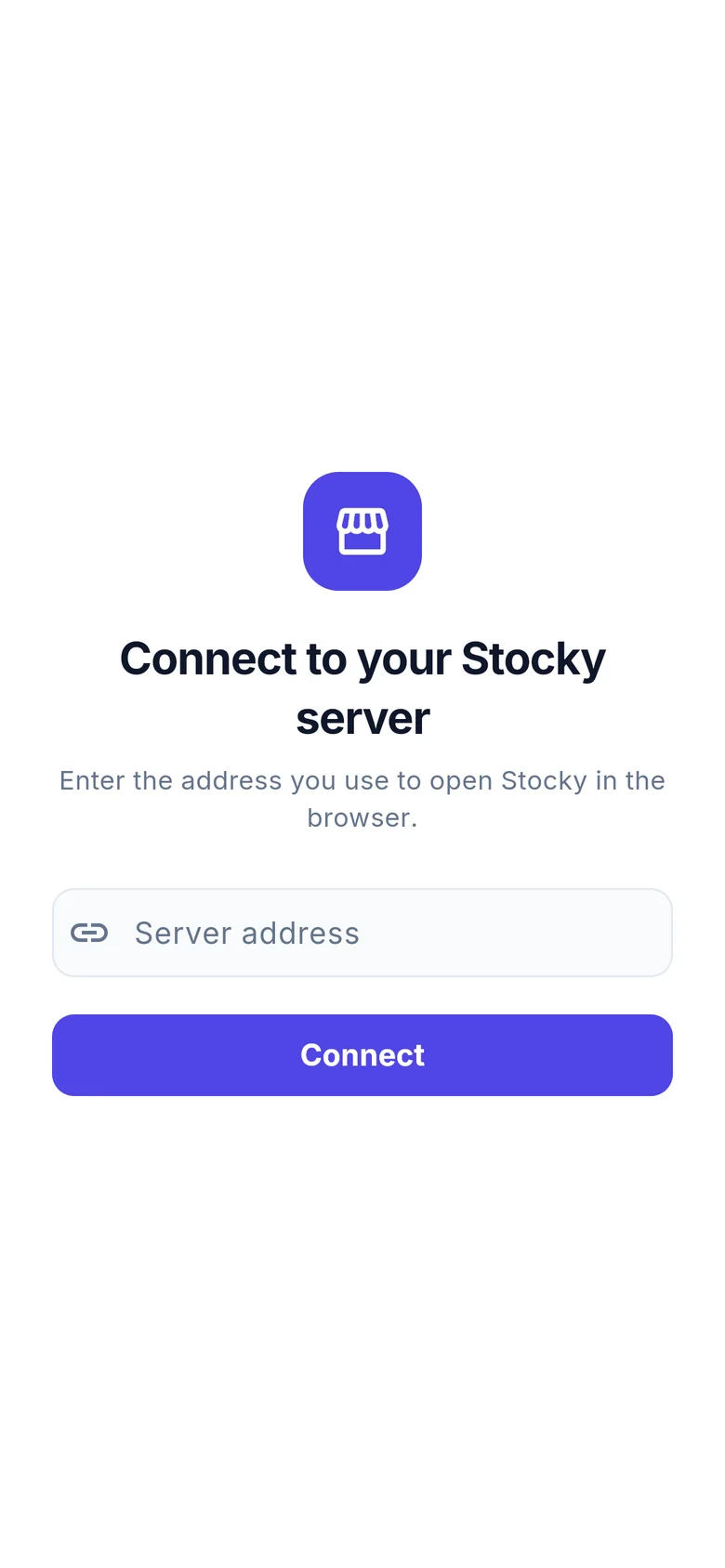
Connect to your Stocky server screen
9:41
Sign in screen showing the server name and logo

How it connects

Point it at your server. That is the setup.

Enter the server address

The same address you open in the browser, for example shop.example.com or 192.168.1.20/stocky. Sub-folder installs and local networks are fine.

Sign in with your Stocky account

No separate mobile users. The login screen already shows your company logo and name as configured on the server.

Everything follows the server

Permissions decide which tabs and modules appear. Currency, decimals, date format and default language come straight from your settings.

Details that matter on a shop floor

Small things, done properly.

Light, dark or system

A real dark theme with its own palette, not an inverted one. Charts, badges and money colours are tuned for both.

24 languages, RTL included

Arabic and other right-to-left languages mirror the whole layout. Dates and numbers follow the chosen language.

Keeps working offline

Lists and dashboards you have opened stay readable when the connection drops, clearly labelled as saved data.

Showing saved data from 14:16 — the server is unreachable.

Barcode scanner built in

Scan to find a product or to add it to the register. Works with the phone camera, no extra hardware.

Your brand colour

Set a primary colour under System Settings → Mobile App and the whole app re-themes on next launch.

Numbers that line up

Inter with tabular numerals everywhere money is shown, so totals, dues and prices align in every list.

$ 953.00 · $ 832.30 · $ 536.50
9:41
Settings screen with appearance and language options
9:41
Dashboard in dark theme

Get the app

Install it, type your address, sell.

Stocky Mobile is free for every Stocky server with the mobile API enabled. Install it on as many phones as you have staff; each one signs in with its own account and its own permissions.

Version 1.0.0Requires a Stocky server with the mobile API